
The Complete, No-Nonsense Guide for Advertisers & Agencies
Google Ads is still one of the most powerful channels for customer acquisition. But there’s a dark side every serious advertiser eventually faces:
👉 Clicker bots draining ad budgets — either attacking your campaigns or being abused by competitors to burn money without conversions.
They don’t crash your account.
They don’t break the rules.
They simply click — repeatedly — until your daily budget is gone.
If you’ve ever seen:
- Sudden spikes in clicks with zero real conversions
- CPC increasing abnormally fast
- Clicks coming repeatedly from the same IP ranges, devices, or locations
- Traffic that looks “real” but never buys
- Budgets exhausted early in the day
You’re not dealing with poor optimization. You’re dealing with click fraud.
This guide focuses on one thing only:
👉 How to stop Google Ads clicker bots before they drain your budget.
Inside, you’ll learn:
- Why many fraudulent clicks still look “valid” to Google
- Why Google’s built-in invalid click protection is not enough
- What actually works to stop click bots in real time
- How advertisers and agencies use NS Ads Xperts Fraud Detection to prevent budget loss — not just report it
No theory. No generic advice.
Just a practical, battle-tested approach to protecting your Google Ads spend.
1. What Are Google Ads Clicker Bots?
Clicker bots are automated or semi-automated systems designed to click on ads repeatedly without any real purchase intent.
They are commonly used to:
- Drain competitor ad budgets
- Manipulate auction dynamics (increase CPCs)
- Sabotage campaign performance metrics
- Hide malicious activity behind residential or mobile IPs
Common Types of Click Fraud
|
Type |
Description |
|
Automated bots |
Headless browsers, scripts, or botnets |
|
Human click farms |
Low-cost labor clicking ads manually |
|
Hybrid attacks |
Bots + human behavior simulation |
|
Competitor attacks |
Repeated clicks targeting specific keywords |
⚠️ These clicks look legitimate at first glance — which is why they’re so dangerous.
2. How Clicker Bots Drain Google Ads Budgets
Click bots are designed to exploit how Google Ads bidding works:
- Your ad enters the auction
- Bot clicks your ad
- Google charges you (CPC)
- No engagement, no conversion
- Budget decreases
- Repeat — hundreds or thousands of times
The Result:
- ❌ Lower Quality Score
- ❌ Higher CPC
- ❌ Reduced impression share
- ❌ Lost real customers
- ❌ Wasted budget (often 30–70%)
This is why detection alone is not enough — prevention is the only real solution.
3. Why Google Ads “Invalid Clicks” Protection Is Not Enough
Google does filter some invalid clicks — but not all clicks that waste your money are considered “invalid” by Google.
This is the biggest misconception advertisers have.
❗ Not every bad click is an “invalid click” in Google’s definition.
And that gap is exactly where budgets get drained.
Key Limitations of Google’s Native Protection
- Human-like clicks still pass
Modern bots simulate real users: scrolling, time on site, device & IP rotation.
👉 They look legitimate — so Google charges you. - Accidental & low-intent human clicks are not invalid
Curious users, wrong intent, misclicks — all are real humans.
👉 Zero conversion, but 100% chargeable. - No real-time blocking
Google may detect issues after clicks happen.
👉 Budget is already spent, CPC already affected. - Smart bots bypass detection
Rotating residential/mobile IPs + devices = no obvious abuse pattern.
👉 Google cannot reliably block them. - No advanced control for advertisers
No custom behavior rules, no real-time exclusions, no proactive defense.
Bottom Line
Google protects the ad ecosystem — not your profit margin.
That’s why serious advertisers and agencies rely on external click fraud protection, not refunds after the damage is done.
4. Common Warning Signs (Why Manual Detection Doesn’t Scale)
These signals are useful for diagnosis — but they cannot stop attacks in real time.
Campaign-Level Signals
- CTR spikes without conversion lift
- Sudden budget exhaustion
- Increased bounce rate (95–100%)
Traffic-Level Signals
- Repeated clicks from same IP/device
- Multiple clicks within seconds
- Abnormal user agents or screen sizes
- Traffic from unexpected locations
Funnel-Level Signals
- Zero scroll
- No time on page
- No form interaction
- No purchase events
If you see multiple signs at once, your campaign is under attack.
5. How to Stop Google Ads Clicker Bots — The Right Way
Stopping Google Ads clicker bots is not about reporting suspicious clicks after your budget is gone.
It’s about preventing bad clicks before they cost you money.
To stop clicker bots, you need a system that does 4 things in real time.
- Real-time click analysis (Stop bad clicks before Google charges you)
- Identify fake intent even when clicks look humanIdentify fake intent even when clicks look human
- Prevent repeat attacks automatically
- Seamless Google Ads integration
This is exactly how NS Ads Xperts is designed — not as a reporting tool, but as a real-time prevention system.
The 4 Core Requirements to Stop Clicker Bots Effectively
1. Real-Time Click Analysis (Before Budget Is Spent)
Most advertisers rely on post-click reports.
That’s already too late.
A proper anti-click-fraud system must:
- Analyze every click the moment it lands
- Identify abnormal patterns within milliseconds
- Decide whether traffic is safe before engagement happens
Without real-time analysis:
You’re only measuring losses — not preventing them.
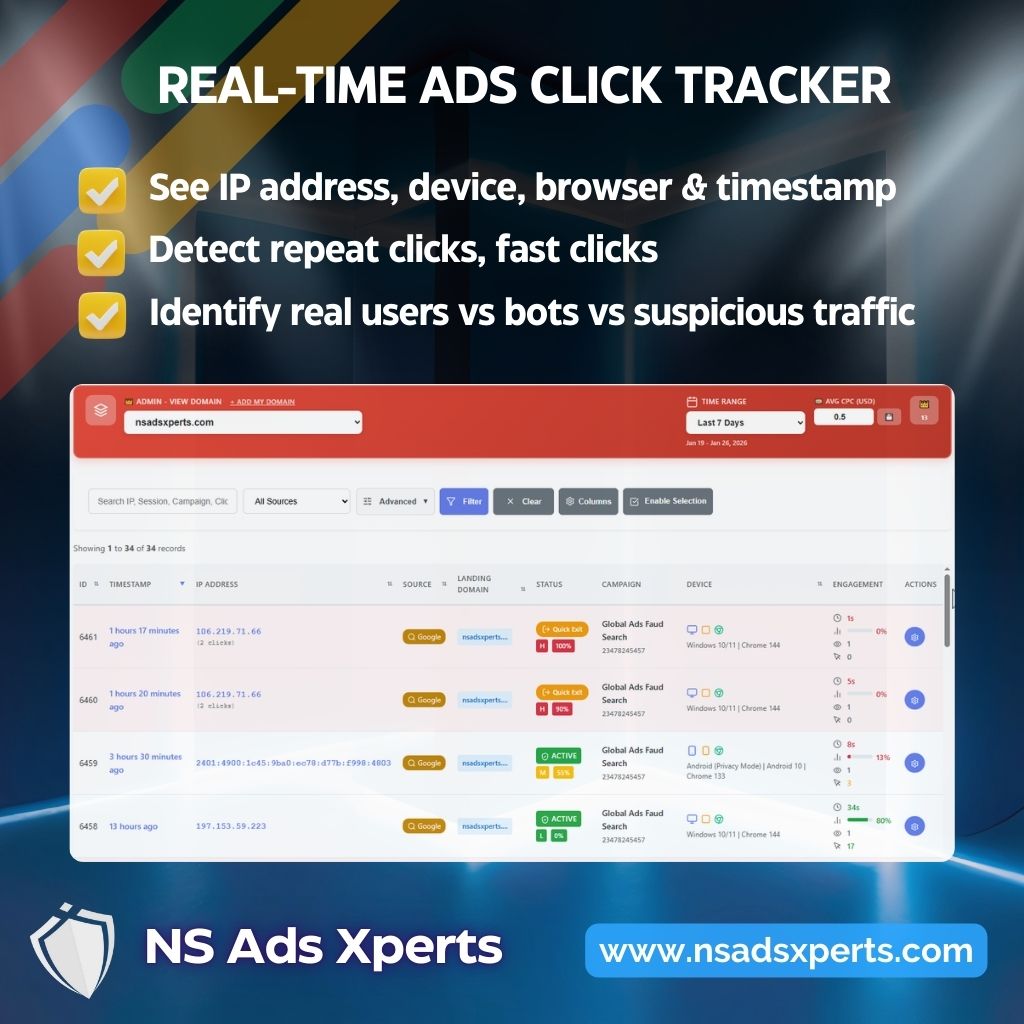
2. Behavior-Based Detection (Not Just IP Blocking)
Basic tools focus mainly on: IP addresses, Geolocation. That worked years ago. It doesn’t anymore.
Modern clicker bots and competitor attacks:
- Rotate residential & mobile IPs
- Change devices, browsers, screen sizes
- Simulate human timing and page behavior
Effective protection must analyze behavioral signals, such as:
- Click frequency & repetition patterns
- Session duration anomalies
- Interaction depth (scroll, navigation, bounce)
- Cross-session similarities that humans don’t repeat
👉 Behavior reveals intent — IPs don’t.
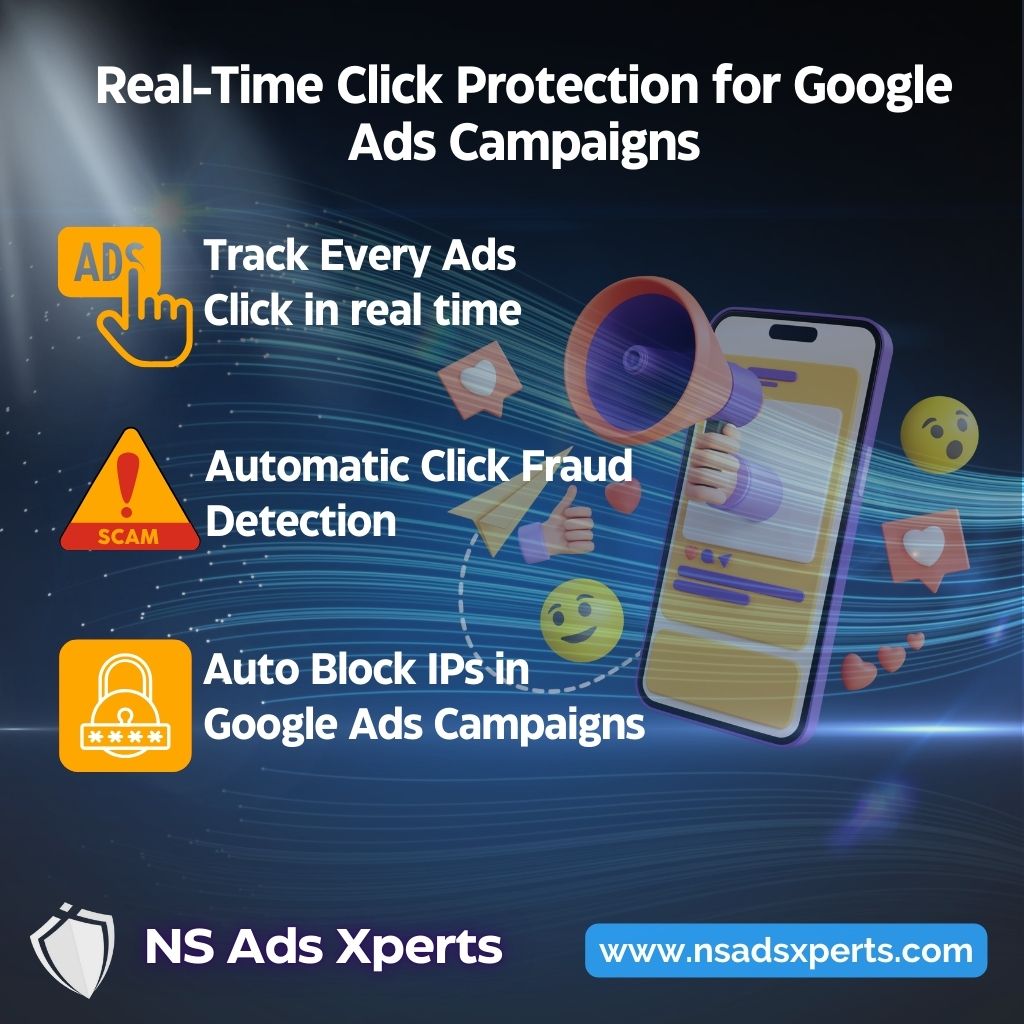
3. Automatic Blocking & Smart Exclusion
Detection alone is useless without action.
The system must:
- Automatically block malicious traffic sources
- Prevent repeat clicks from the same fraud patterns
- Apply exclusions without manual intervention
- Adapt as attack patterns evolve
Manual IP exclusions inside Google Ads:
- Are slow
- Miss most fraud
- Can’t keep up with rotating attacks
Real protection must be automatic and continuous.
4. Seamless Google Ads Integration
To be practical, click fraud protection must work with Google Ads, not around it.
That means:
- Easy connection to Google Ads accounts
- No impact on campaign structure
- No changes to bidding or creatives
- Full compatibility with Search, Display & Performance Max
Protection should be invisible to real users - but brutal to fraud traffic.
This is exactly where NS Ads Xperts comes in. Read more Detail Fraud Detection – How It Works
5. NS Ads Xperts Fraud Detection – How It Works
NS Ads Xperts™ is built specifically for Google Ads advertisers, agencies, and high-budget campaigns.
Step-by-Step Protection Flow
1️⃣ Smart Click Analysis
Every click is analyzed using:
- IP reputation & rotation patterns
- Device fingerprinting
- Click frequency & timing
- Session behavior signals
2️⃣ Bot & Fraud Classification
Traffic is classified into:
- Legitimate users
- Suspicious users
- Click bots / fraud sources
3️⃣ Real-Time Blocking
- Malicious IPs & fingerprints are blocked instantly
- Traffic is filtered before it wastes budget
- Google Ads exclusions are updated automatically
4️⃣ Transparent Reporting
You get:
- Fraud click percentage
- Saved budget estimation
- Attack timelines
- Source breakdown (IP, device, geo)
Key Benefits of Using NS Ads Xperts™
✅ Stop competitor click attacks in real time
✅ Recover up to 30–70% wasted ad spend
✅ Improve conversion rate instantly
✅ Lower CPC & stabilize Quality Score
✅ Works globally (Google Ads worldwide)
✅ No impact on real customers
This is not theory — it’s operational protection.
6. Best Practices to Maximize Protection
Even with anti-fraud software, you should:
- Use tight keyword intent
- Avoid overly broad match on high-value keywords
- Monitor hourly spend patterns
- Combine fraud detection with conversion tracking
- Review fraud reports weekly
When combined with NS Ads Xperts™, these practices create a near-bulletproof ad setup.
7. Final Thoughts: Don’t Let Bots Decide Your Ad Success
Clicker bots are no longer a rare issue — they’re a standard competitive weapon.
If you rely on Google Ads for revenue:
- Doing nothing = guaranteed budget loss
- Relying only on Google = partial protection
- Using dedicated fraud detection = full control
👉 Protect your campaigns now with NS Ads Xperts and Stop clicker bots before they drain your budget
- Click here to Create Free Account for 7 days
- 3 Simple Steps to Secure Your Google Ads Budget automatic within 15 minutes
- Learn more Google Ads IP Blocking Guide