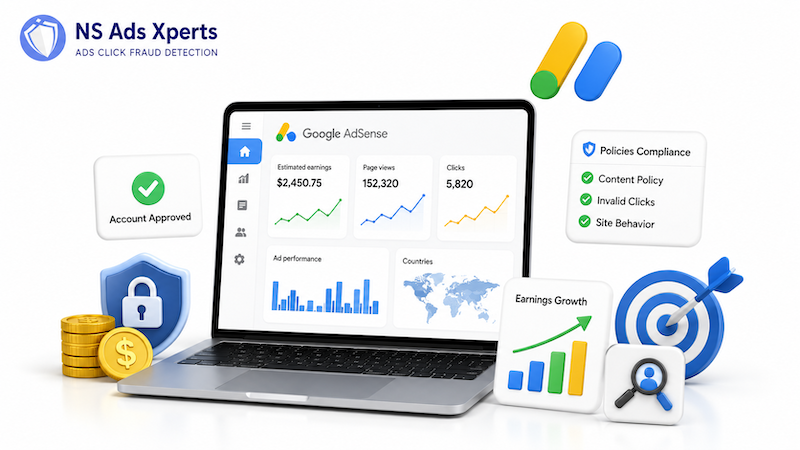
Imagine pouring hours into creating valuable content, only to see your monetization efforts stalled by complex policies, low earnings, or even account suspension. You’re not alone. With approximately 58.5 million sites using Google AdSense globally as of May 2025, many content creators face these exact challenges.
This comprehensive guide cuts through the confusion, offering a clear roadmap to successfully set up, manage, and protect your account AdSense. We’ll dive into everything from the initial approval process to advanced earning strategies and, crucially, how to safeguard your revenue from the pervasive threat of invalid traffic. By the end, you’ll have the actionable insights to turn your content into a sustainable income stream.
Setting Up Your AdSense Account: A Step-by-Step Blueprint for Approval
Creating a Google AdSense account is your gateway to monetizing online content. While the process seems straightforward, meeting Google’s stringent eligibility requirements is paramount for approval. Follow these steps to lay a solid foundation:
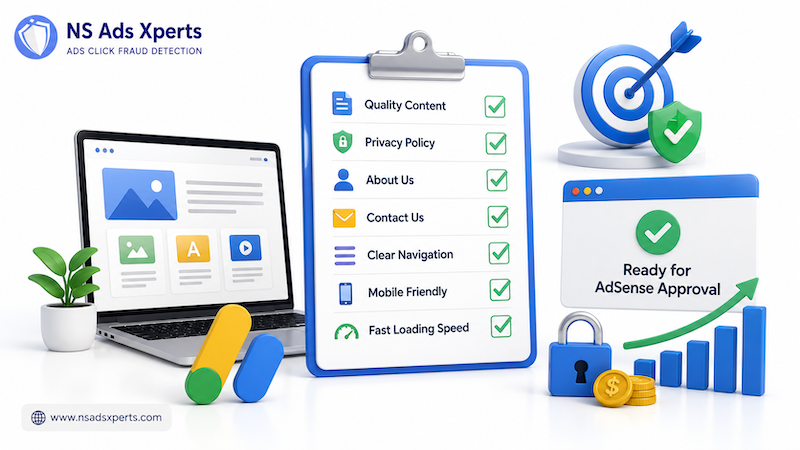
- Ensure Eligibility: You must be at least 18 years old and possess your own unique, high-quality content. This isn’t merely a suggestion; it’s the bedrock of Google’s content guidelines. Your site needs to be well-established, offering genuine value to an audience.
- Prepare Your Website: Before applying, ensure your site has essential pages like a Privacy Policy, About Us, and Contact Us. Navigation should be clear, and the overall user experience (UX) must be intuitive. Google prioritizes sites that are easy to use and provide a good experience for visitors.
- Sign Up for AdSense: Visit the AdSense website, sign in with your Google Account, and provide your site’s URL (or select “I don’t have a site yet” if you’re applying for YouTube monetization). Select your payment country and accept the terms and conditions.
- Connect Your Site: Google will provide a code to place in the
<head>section of your website. This allows AdSense to review your site and verify ownership. - Wait for Review: The approval process typically takes a few days, but can extend to 2-4 weeks, or even longer in some cases. During this time, Google assesses your site’s content quality, traffic, and compliance with their policies.
Common reasons for rejection include “insufficient content” or “poor user experience.” Address these proactively by ensuring your site has substantial, original articles, a clean design, and fast loading times. The “6-month rule” you might hear about isn’t a strict age requirement for new websites, but rather an indication that Google prefers sites with a proven track record of content creation and organic traffic. Focus on building a valuable resource, and approval will follow.
Beyond Basic Setup: Optimizing Your AdSense Account for Maximum Revenue
Once your account AdSense is approved, the journey shifts from eligibility to optimization. Google annually distributes over $10 billion to its AdSense publishers, but maximizing your share requires strategic placement and an understanding of key metrics.
Understanding Ad Formats and Placement
AdSense offers various ad formats, each with its own benefits:
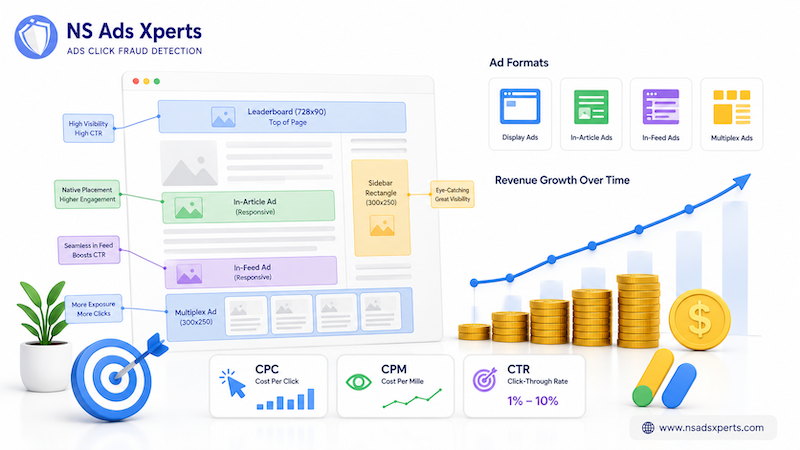
- Display Ads: Versatile and highly customizable, these can appear almost anywhere on your page. Experiment with sizes and positions.
- In-article Ads: Designed to blend seamlessly within your content, improving user experience and often CTR.
- In-feed Ads: Ideal for lists of articles or products, they integrate naturally into your feed.
- Multiplex Ads: A grid-based ad format that shows multiple content recommendations and ads together.
Strategic placement is crucial. Ads placed “above the fold” (visible without scrolling) often perform better. However, avoid overcrowding your page with ads, as this can lead to a poor user experience and even policy violations. A good balance enhances both earnings and reader retention.
Key Metrics: CPC, CPM, and CTR
Your earnings are primarily driven by:
- CPC (Cost Per Click): You earn revenue each time a user clicks on an ad. Commission per click typically ranges between $0.20 and $15, though most niches yield less than $3.
- CPM (Cost Per Mille/Thousand): You earn for every one thousand ad impressions (views). This is common for display ads.
- CTR (Click-Through Rate): The percentage of people who click on an ad after seeing it. While average CTR for display ads is around 0.10%, AdSense CTR can range from 0.1% to 30%, commonly falling between 1% to 10%.
To boost these metrics, focus on creating highly engaging content that naturally attracts relevant advertisers. A niche website with targeted traffic often sees higher CPCs than a general-interest site.
Navigating AdSense Policies & Preventing Account Suspension
Google’s AdSense Program Policies are non-negotiable. Violating them can lead to warnings, ad serving limitations, or even permanent account suspension — a situation that is often unappealable. Understanding and adhering to these guidelines is critical for the longevity of your account AdSense.
Key Policy Areas to Master:
- Content Policies: AdSense prohibits certain content, including copyrighted material, adult content, illegal activities, or hate speech. Your content must be original, high-quality, and provide a positive user experience.
- Traffic Quality: This is one of the most common pitfalls. Google strictly forbids publishers from clicking their own ads or using any means to artificially inflate impressions or clicks. This includes purchasing non-organic traffic, using bots, or engaging in click farms.
- Ad Placement Policies: Ads must not be misleading or placed in a way that encourages accidental clicks. For instance, do not place ads too close to interactive elements or misleading headlines.
- User Experience: Your site must be easy to navigate, load quickly, and offer a good experience across all devices. Poor UX can indirectly affect policy compliance if users are frustrated into accidental clicks or if it indicates a low-quality site.
AdSense employs sophisticated systems to detect policy violations. Reports on impressions and clicks are usually updated every 15 to 30 minutes, allowing Google to quickly identify suspicious activity. Proactive adherence to these policies is far easier than attempting to recover from a suspension.
The Silent Threat: How Invalid Traffic Jeopardizes Your AdSense Account & Earnings
While adhering to policies is crucial, one major threat to your AdSense account often operates beneath the surface: invalid traffic. These aren't just accidental clicks; they are a pervasive problem costing advertisers billions and jeopardizing publishers' livelihoods. As a publisher, understanding and actively combating invalid traffic is paramount.
What is Invalid Traffic and Why Does it Matter?
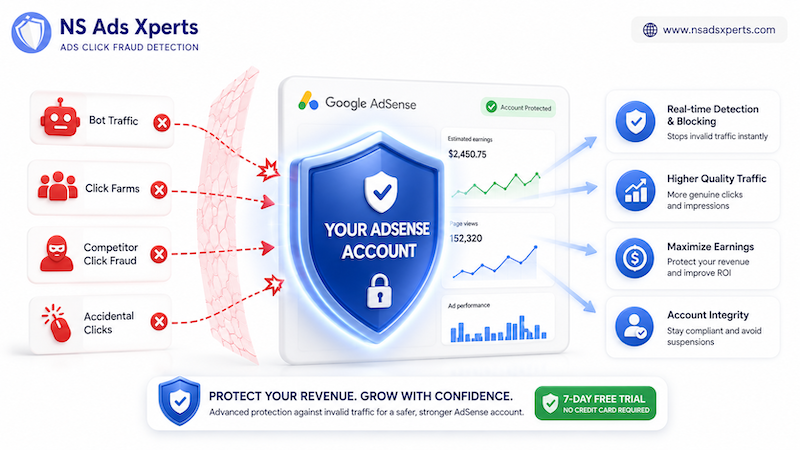
Invalid traffic refers to any clicks or impressions that may artificially inflate an advertiser’s costs or a publisher’s earnings. This includes:
- Bot Traffic: Automated scripts or programs designed to mimic human behavior, generating clicks and impressions without genuine interest.
- Click Farms: Networks of low-paid workers or automated systems designed to repeatedly click on ads.
- Competitor Click Fraud: Malicious attempts by rivals to deplete your advertising budget or disrupt your AdSense account by repeatedly clicking your ads.
- Accidental Clicks: While unintentional, these can still be flagged as invalid if they occur frequently due to poor ad placement.
The impact of invalid traffic is severe. For advertisers, it means wasted ad budget and inaccurate campaign data. For publishers, it leads to significantly lower legitimate earnings, reduced CTR, and, most critically, a high risk of AdSense account suspension or disablement. Google’s AdSense policies explicitly prohibit invalid clicks, and their detection systems are constantly evolving. However, sophisticated fraud often slips through, leaving publishers vulnerable.
Proactive Protection: Safeguarding Your AdSense Revenue
Google strives to filter out invalid clicks, but relying solely on their internal systems can be risky. This is where dedicated ad fraud protection solutions become indispensable. Tools like NS Ads Xperts™ offer an advanced layer of defense:
- Real-time Detection & Blocking: NS Ads Xperts™ uses behavior tracking and advanced analytics to identify and block bot traffic, click farms, and competitor click fraud in real-time. This ensures that only genuine, interested users see and interact with your ads.
- Optimized Ad Spend & ROI: By preventing invalid clicks, NS Ads Xperts™ helps advertisers (and by extension, publishers) optimize their ad spend, improve conversion rates, and achieve a higher return on investment. This means more legitimate clicks and impressions for your AdSense account.
- Account Integrity: Proactively stopping invalid traffic helps you maintain compliance with AdSense policies, significantly reducing the risk of warnings, ad serving limitations, or account suspension.
Don't let invalid clicks erode your earnings or threaten your AdSense account. Implementing a robust solution like NS Ads Xperts™ is a proactive step towards securing your monetization efforts. You can start protecting your revenue today with a 7-day free trial, no credit card required.
Frequently Asked Questions About AdSense Accounts
- Q: How do I create a Google AdSense account?
- A: To create an AdSense account, visit the AdSense website, sign in with your Google Account, and provide your website URL. You'll then need to place a code snippet on your site for Google to review. Ensure your site has unique, high-quality content, clear navigation, and essential pages like a Privacy Policy before applying. This initial review process can take a few days to several weeks.
- Q: What are the key requirements for AdSense account approval?
- A: Key requirements include being at least 18 years old, owning a website with original, high-quality content that adheres to AdSense program policies, and having clear navigation with essential pages (Privacy Policy, About Us, Contact Us). Your site should also demonstrate a good user experience and ideally have some organic traffic, showing it provides value to visitors.
- Q: How much can I realistically earn with AdSense?
- A: AdSense earnings vary significantly based on factors like traffic volume, content niche, ad placement, and audience location. While Google distributes over $10 billion annually to publishers, initial earnings might be modest. Websites generally need around 100,000 visitors per month to earn a minimum of $1,000 in many business niches. Focus on high-quality content and optimizing ad placement for better CPC and CTR.
- Q: Why was my AdSense application rejected, and what can I do?
- A: Common rejection reasons include “insufficient content,” “poor user experience,” missing essential pages, or policy violations (e.g., copyrighted material, low-quality content). If rejected, review Google’s email for specific reasons. Address all identified issues — improve content quality, enhance site navigation, add missing pages, and ensure full policy compliance — then reapply. Be patient, as site improvements take time to be recognized.
- Q: What is the AdSense PIN, and why is it essential?
- A: The AdSense PIN is a unique 6-digit Personal Identity Number that Google sends via international standard mail to your payment address once your earnings reach the verification threshold. It’s a mandatory security step to verify your physical location and payment address. You must enter this PIN into your AdSense account within four months of its generation date; otherwise, ads will stop showing on your pages until verification is complete.
- Q: What are “invalid clicks” in AdSense, and how do they affect my account?
- A: Invalid clicks are any clicks or impressions that don’t represent genuine user interest, such as those generated by bots, click farms, competitor fraud, or accidental clicks. These clicks artificially inflate advertiser costs and publisher earnings, violating AdSense policies. If detected, they can lead to reduced earnings, ad serving limitations, or even permanent account suspension. Implementing proactive solutions like NS Ads Xperts™ is crucial to detect and block such traffic, protecting your account integrity and revenue.
Successfully managing your AdSense account is an ongoing process that demands attention to detail, adherence to policies, and a proactive approach to protecting your earnings. By focusing on creating valuable content, optimizing your ad placements, and crucially, safeguarding your revenue from invalid traffic with solutions like NS Ads Xperts™, you establish a robust and sustainable monetization strategy.
Take the next logical step: audit your website against AdSense policies and consider leveraging advanced tools to detect and block fraudulent clicks. Start your 7-day free trial of NS Ads Xperts™ today to ensure your efforts are rewarded with genuine, profitable ad revenue.