
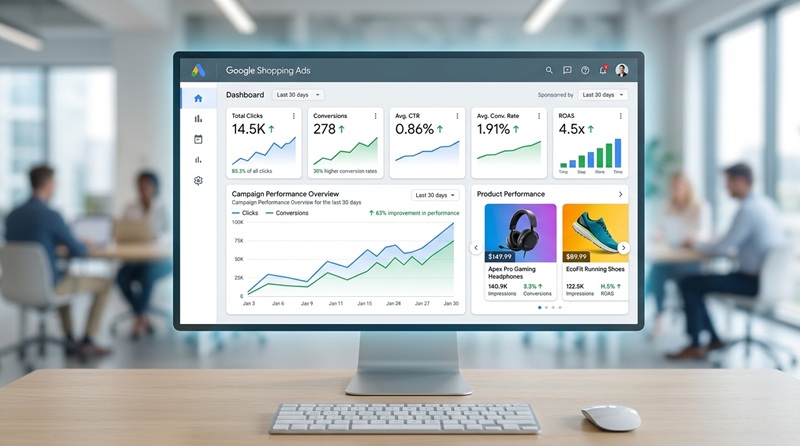
In 2026, if your e-commerce business isn't leveraging Google Shopping Ads, you're missing out on a staggering 76.4% share of US retail searches. These visual, product-focused advertisements aren't just another ad format; they are a critical engine for online sales, offering businesses up to a 63% improvement in campaign performance and 30% higher conversion rates compared to traditional search ads. The question isn't whether you should use them, but how to master them to genuinely convert browsers into buyers and protect your valuable ad spend. This comprehensive guide will walk you through the mechanics, strategies, and essential optimizations for Google Shopping Ads, ensuring your campaigns are not only visible but also profitable.

What Are Google Shopping Ads & Why They Matter for E-commerce?
Google Shopping Ads are distinct, highly visual advertisements that showcase your products directly within Google's search results, on the dedicated Google Shopping tab, and across various partner sites including Google Images. Unlike standard text ads, they immediately present a product's image, title, price, and store name. This rich visual format is precisely why they drive 85.3% of all clicks on Google Ads and Google Shopping campaigns, making them indispensable for any e-commerce business aiming for high visibility and direct sales.
For retailers, the benefits are clear: increased visibility for specific products, higher click-through rates (the average CTR is 0.86%), and ultimately, better conversion rates (averaging 1.91%). With 81% of retail shoppers conducting online research before making a purchase, putting your products directly in front of them at the moment of intent is a game-changer. These ads are not merely about showing up; they're about showing up effectively, with compelling visuals that capture attention faster than text alone.
How Google Shopping Ads Work: From Product Feed to Purchase
The foundation of every successful Google Shopping Ads campaign is the Product Feed, also known as a Data Feed. This is a detailed file, typically in .txt or Excel format, containing all essential information about your products: titles, descriptions, prices, images, GTINs, and brand details. This feed is uploaded and managed within Google Merchant Center (GMC), a crucial platform that acts as the bridge between your product inventory and Google Ads.
Once your product feed is approved in GMC and linked to your Google Ads account, Google's sophisticated algorithm takes over. Instead of relying on keywords (like traditional search ads), Google matches user search queries to the attributes in your product data. For example, if a user searches for "red running shoes size 9," Google scans your feed for products that match these specific details, displaying the most relevant items as Shopping Ads. This product-data-driven approach ensures high relevancy and a superior user experience, making Google Shopping Ads incredibly effective at driving purchase intent.
Standard vs. Performance Max: Choosing Your Google Shopping Ads Strategy
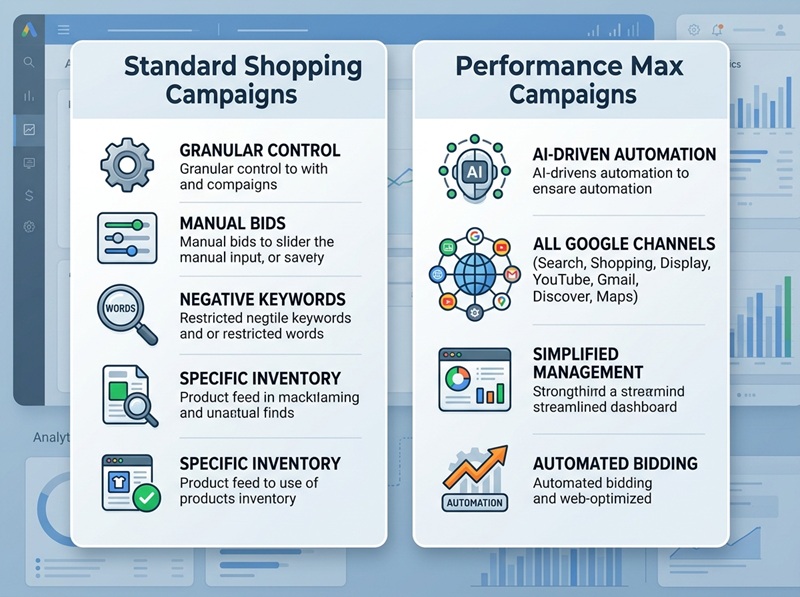
When running Google Shopping Ads, you primarily have two campaign types to choose from, each with distinct advantages:
Standard Shopping Campaigns
These campaigns offer advertisers granular control. You can manually set bids, apply negative keywords to prevent irrelevant searches, and fine-tune audience targeting. This level of control is ideal for businesses that want precise management over their ad spend and campaign parameters, allowing for detailed optimization based on specific product lines or seasonal promotions. If you have complex inventory or very specific targeting needs, Standard Shopping campaigns give you the reins.
Performance Max Campaigns
Performance Max is Google's AI-driven, goal-based campaign type designed to maximize performance across all Google channels: Search, Shopping, Display, YouTube, Gmail, Discover, and Maps. Advertisers provide assets (images, videos, text) and a product feed, and Google's AI optimizes bids and placements to achieve conversion goals. While offering less manual control and often feeling like a "black box" to some, Performance Max can unlock new audiences and deliver impressive ROAS for businesses willing to trust Google's automation, especially those looking for broad reach and simplified management.
Choosing between them often depends on your comfort level with automation and the specificity of your optimization needs. Many businesses run both, using Standard for core products with high control and Performance Max to discover new opportunities and scale.
Overcoming Common Google Shopping Ads Challenges
Even with their proven effectiveness, running Google Shopping Ads isn't without its hurdles. Many businesses struggle with:
- Product Feed Errors: Inaccurate, incomplete, or non-compliant product data (missing descriptions, incorrect prices, low-quality images, policy violations) can lead to ad disapprovals or poor performance. Maintaining a clean, up-to-date feed is paramount.
- Lack of Optimization Expertise: Difficulty in optimizing bids, product titles, descriptions, and images to ensure ads perform well and stand out in a crowded market. This requires ongoing analysis and strategic adjustments.
- Keeping Up with Google's Updates: Google's algorithms and policies are constantly evolving, making it challenging to stay compliant and adapt campaign strategies without dedicated attention.
- Competition in a Crowded Market: Fierce competition requires strategic ad placement, compelling visuals, and competitive pricing to ensure your Google Shopping Ads rise above the noise.
- Low Conversion Rates: Despite generating traffic, ads may not convert into sales, indicating issues with product pages, pricing, delivery terms, or even the initial ad messaging itself.
Protecting Your Google Shopping Ads Budget from Invalid Clicks
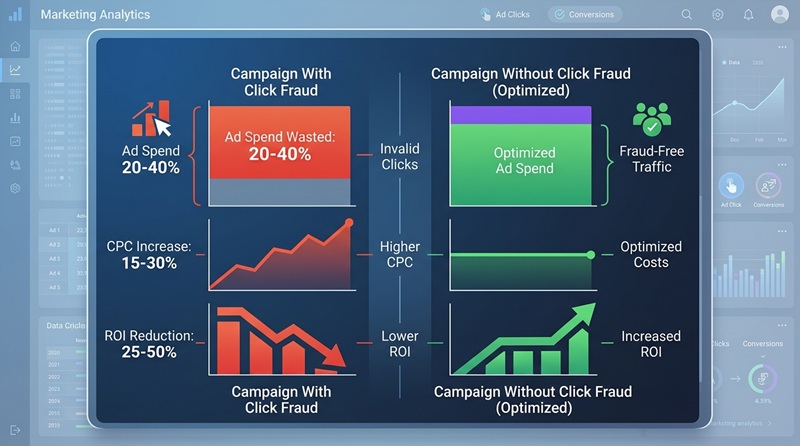
One of the most insidious threats to any Google Ads campaign, including your high-performing Google Shopping Ads, is click fraud. This refers to invalid clicks generated by bots, click farms, or even malicious competitors, designed to deplete your ad budget without any genuine interest in your products. For businesses already grappling with high CPCs and low conversion rates, click fraud represents a direct waste of valuable marketing dollars, artificially inflating costs and skewing performance data.
Consider this: if 15-20% of your clicks are invalid, that's 15-20% of your ad budget vanishing with no return. This not only impacts your immediate ROI but also corrupts your analytics, making it harder to make informed optimization decisions. Identifying and preventing these invalid clicks is critical for maximizing the efficiency of your Google Shopping Ads, ensuring that every dollar spent targets a real, potential customer. Solutions like NS Ads Xperts™ specialize in click fraud detection, actively monitoring your campaigns to stop invalid clicks Google Ads, thereby optimizing your ad spend and improving overall campaign accuracy.
Optimizing Your Google Shopping Ads for Maximum ROAS
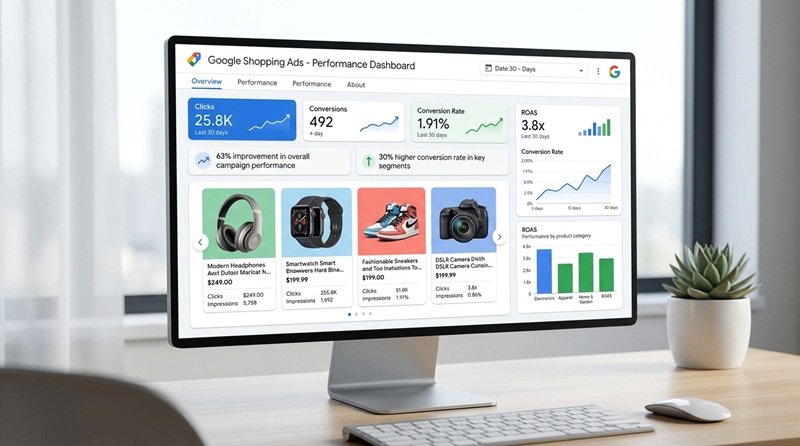
To truly excel with Google Shopping Ads, focus on continuous optimization. Here are key strategies:
- Product Feed Enhancement: Go beyond basic compliance. Optimize product titles with relevant keywords, create compelling descriptions, and use high-quality, clear images. Products with star ratings get 24% more clicks, so encourage customer reviews.
- Strategic Bidding: Implement smart bidding strategies tailored to your ROAS goals. For Standard campaigns, experiment with different bid adjustments for devices, locations, and audiences. For Performance Max, ensure your conversion tracking is impeccable to give Google's AI the best data.
- Negative Keywords: Even though Shopping Ads are product-data-driven, negative keywords are crucial, especially for Standard campaigns. Regularly review search term reports and add irrelevant terms to prevent your ads from showing for searches that won't convert, reducing wasted ad spend.
- Audience Targeting: Leverage remarketing lists and custom audiences to target users who have previously interacted with your site or have specific interests. Layer these audiences onto your campaigns for more precise targeting.
- Promotions & Special Offers: Utilize Google Merchant Center promotions to highlight sales, free shipping, or other incentives directly in your ads, making them more attractive.
Frequently Asked Questions About Google Shopping Ads
Q: What are Google Shopping Ads?
A: Google Shopping Ads are visual product advertisements displaying product images, prices, and store names. They appear prominently in Google search results, the dedicated Shopping tab, and across Google's broader network. Designed specifically for e-commerce, they offer a highly engaging format that connects shoppers directly with products, often leading to higher conversion rates compared to traditional text ads by showcasing key product information upfront.
Q: How do Google Shopping Ads work?
A: Google Shopping Ads function by utilizing a detailed product feed, which is uploaded to your Google Merchant Center account. Google's algorithm then matches the attributes within this product data (like title, description, and category) to relevant user search queries. Unlike search ads that rely on keywords, Shopping Ads are triggered by the product data itself, ensuring that highly relevant products are displayed to users actively looking to purchase.
Q: Do I need a Google Merchant Center account to run Google Shopping Ads?
A: Yes, a Google Merchant Center (GMC) account is absolutely essential for running Google Shopping Ads. GMC is the central hub where you upload, manage, and validate your product data feed. This platform ensures your product information meets Google's specifications and policies before it can be used to create and display your Shopping Ads within the Google Ads ecosystem. Without a linked and approved GMC account, you cannot launch Shopping campaigns.
Q: How often should I update my product feed?
A: It is highly recommended to update your product feed daily, especially if your inventory, prices, or product availability change frequently. Regular updates ensure that the information displayed in your Google Shopping Ads is always accurate and current, preventing customer frustration from incorrect pricing or out-of-stock items. For businesses with less dynamic inventory, a weekly update might suffice, but daily is best practice to maintain data integrity and ad approval.
Q: What is the difference between Google Shopping Ads and Google Search Ads?
A: The primary difference lies in their format and targeting mechanism. Google Shopping Ads are visual, product-specific ads that use product data from a feed for targeting, showing images, prices, and store names. Google Search Ads are text-based, rely on keywords for targeting, and can promote both products and services. Shopping Ads are ideal for showcasing specific items, while Search Ads are versatile for broader queries or service-based businesses.

Take Control of Your Google Shopping Ads Performance Today
Maximizing the profitability of your Google Shopping Ads in 2026 demands a dual approach: meticulous optimization of your product feeds and campaign settings, coupled with vigilant protection against budget-draining invalid clicks. Don't let wasted ad spend erode your ROI. Take the proactive step to safeguard your campaigns and ensure every click counts. Start your 7-day free trial of NS Ads Xperts™ today – no credit card required – and experience firsthand how advanced click fraud detection can transform your Google Shopping Ads performance.