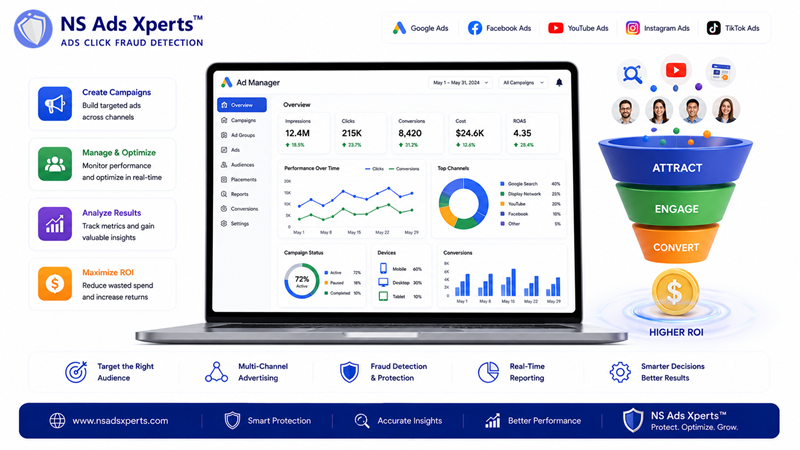
Are you seeing your advertising budget drain without the expected conversions, or suspecting competitor click fraud is sabotaging your campaigns? You're not alone. Over 65% of small and mid-sized businesses use Google Ads for PPC, yet many struggle with high CPC and low ROI due to inefficiencies and malicious activity. Understanding and effectively utilizing an ad manager is no longer just an advantage; it's a necessity for profitability.
This article will demystify the concept of an ad manager, explaining its core functions, differentiating between critical platforms like Google Ad Manager and Google Ads Manager Account, and revealing how it can transform your digital advertising efforts in 2026. We'll also explore how to tackle common pain points like ad fraud to ensure every dollar you spend drives real results.
What is a Digital Ad Manager?
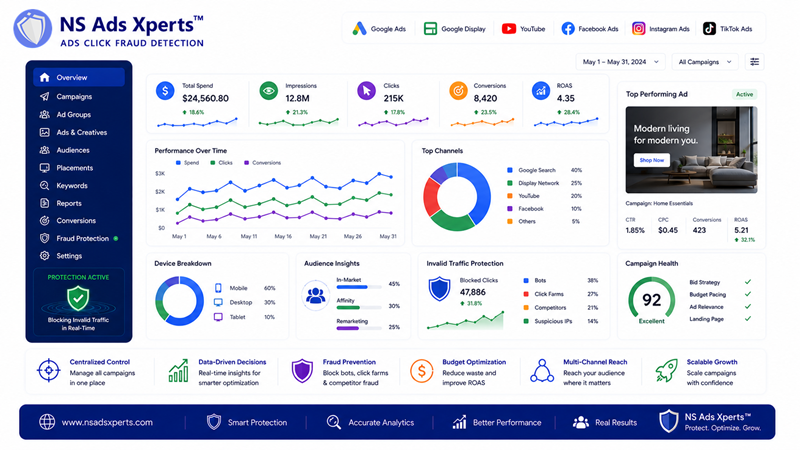
At its core, a digital ad manager is a centralized software platform or interface designed to help advertisers and publishers create, manage, optimize, and analyze their advertising campaigns across various digital channels. Think of it as the control center for all your online ad activities.
These platforms streamline complex tasks, from setting up ad creatives and targeting specific audiences to bidding on ad placements and tracking performance metrics like impressions, clicks, and conversions. The global ad management software market was valued at USD 35.58 billion in 2025 and is projected to grow to USD 88.08 billion by 2034, underscoring its critical role in the digital economy.
Key functions typically include:
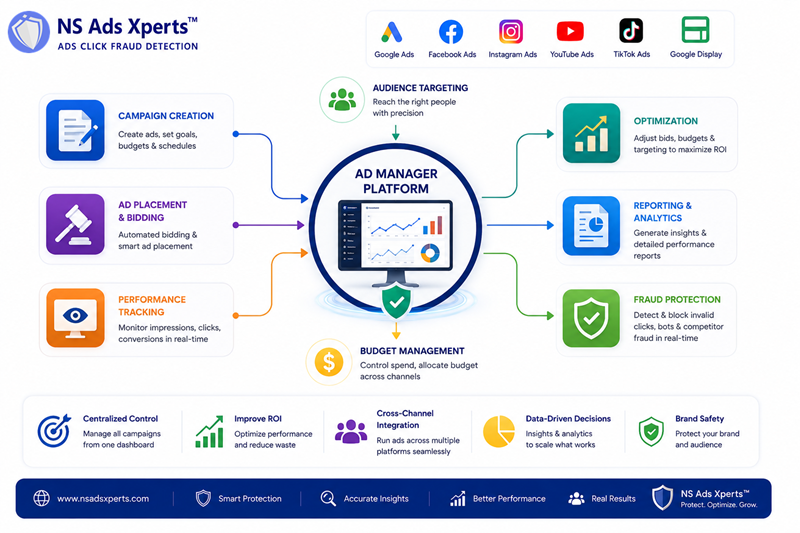
- Campaign Creation: Designing ad creatives, defining target audiences, and setting budgets.
- Ad Placement & Bidding: Automating the process of buying ad space, often through programmatic advertising and first-price auctions.
- Performance Tracking: Monitoring real-time data on ad delivery, engagement, and conversion rates.
- Optimization: Adjusting campaigns based on performance data to improve ROI and achieve specific goals.
- Reporting: Generating detailed reports to analyze campaign effectiveness and inform future strategies.
Google Ad Manager (GAM): For Publishers and Large Media
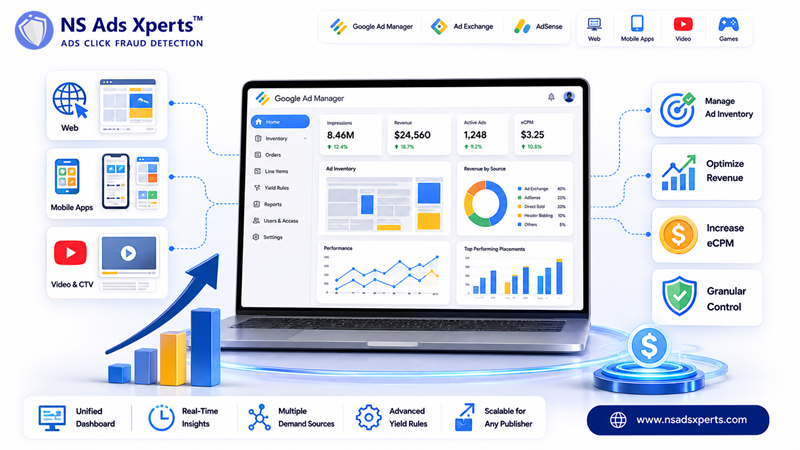
When people refer to "admanager google" or "Google Ad Manager," they are often talking about Google's powerful ad serving platform designed specifically for large publishers. This platform, formerly known as DoubleClick for Publishers (DFP) and DoubleClick Ad Exchange (AdX), was unified into Google Ad Manager (GAM) on June 27, 2018.
GAM allows publishers to monetize their entire ad inventory – across websites, mobile apps, videos, and games – from a single hub. It provides granular control over ad delivery, pricing, and yield management, connecting publishers to multiple demand sources, including Google AdSense, Ad Exchange, header bidding, and direct-sold campaigns. With a 43.85% market share in advertising optimization, and over 3,080 companies globally using it as of 2026, GAM is a dominant force.
The standard version of Google Ad Manager is free for publishers below certain impression thresholds. For larger operations, Google Ad Manager 360 (often referred to as gam360) is a paid premium version offering advanced features, higher limits, and dedicated Google support.
Google Ads Manager Account (MCC): Centralizing Advertiser Control
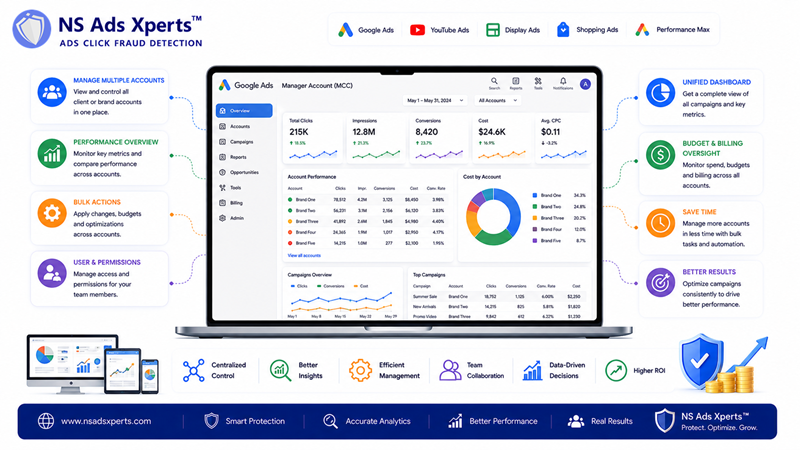
Distinct from Google Ad Manager for publishers, the Google Ads Manager Account (often abbreviated as MCC, formerly My Client Center) is a vital tool for advertisers. This platform is specifically designed for agencies, marketing teams, and freelancers who manage multiple Google Ads accounts.
Instead of logging into each individual Google Ads account separately, an MCC account provides a single dashboard to:
- View performance data across all linked accounts.
- Manage budgets and campaigns efficiently.
- Access billing information.
- Apply changes and optimizations across multiple accounts simultaneously.
- Set up user access and permissions for team members.
If you've heard terms like "google adwords manager," "ads google manager," or "adword manager," these typically refer to the functionalities provided by the Google Ads platform and its centralized manager account for advertisers. This consolidation saves significant time and ensures consistent strategy across diverse client portfolios or internal brands.
Why an Effective Ad Manager is Crucial for Your Business
Regardless of whether you're a publisher using Google Ad Manager or an advertiser leveraging a Google Ads Manager Account, the overarching benefits of a robust ad manager are clear:
- Optimized Ad Spend: By providing detailed insights into campaign performance, an ad manager enables you to reallocate budgets to top-performing ads and pause underperforming ones, directly impacting your CPC and overall ROI. Businesses generally achieve a $2 return for every $1 spent on Google Ads, indicating a 200% ROI, a figure heavily influenced by effective management.
- Increased Efficiency: Centralized control over multiple campaigns and accounts reduces administrative overhead, freeing up valuable time for strategic planning.
- Enhanced Targeting: Sophisticated audience segmentation tools within ad managers ensure your ads reach the most relevant users, improving conversion rates.
- Data-Driven Decisions: Access to comprehensive analytics allows for informed adjustments, helping you keep up with rapidly changing consumer behavior and market trends.
- Scalability: As your business grows, an ad manager provides the infrastructure to expand your advertising efforts without a proportional increase in complexity.
Beyond Google: Other Ad Manager Platforms
While Google's platforms hold significant market share, the term "ad manager" is broader. Other major advertising ecosystems also offer their own robust ad management tools:
- Meta Ads Manager: This is the primary tool for running ads across Facebook, Instagram, Messenger, and Audience Network. It offers powerful targeting options, creative tools, and detailed analytics for Meta's vast user base.
- TikTok Ads Manager: Designed for campaigns on TikTok, this platform focuses on video-centric ads and leverages TikTok's unique algorithm for audience reach and engagement.
- LinkedIn Campaign Manager: Tailored for B2B advertising, this platform allows businesses to target professionals based on job title, industry, and company size.
Each of these platforms serves as its own ad manager, providing specific tools optimized for its unique audience and ad formats. Effective multi-channel advertisers often navigate several of these platforms to maximize their reach.
Tackling Ad Fraud: A Hidden Challenge for Ad Managers
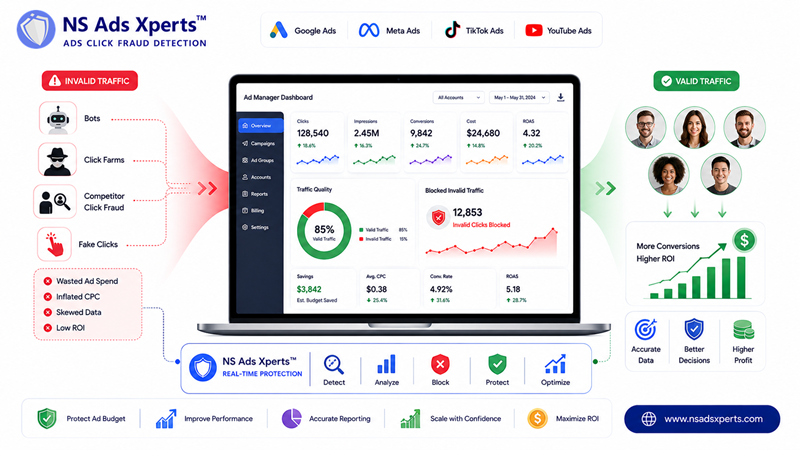
Even with the most sophisticated ad manager, a significant portion of ad spend can be wasted on invalid clicks and ad fraud. Click fraud, originating from bots, click farms, or malicious competitors, can inflate CPC, skew performance data, and severely depress conversion rates. This is a critical pain point for businesses aiming to scale profitably, as it directly impacts ROI.
Consider this: Google Ads commands a 39.37% market share in PPC, and over 63% of internet users have clicked on a Google ad. However, a portion of these clicks are not legitimate. Without a dedicated solution, your ad manager reports might show clicks and impressions, but fail to differentiate between genuine engagement and fraudulent activity. This leads to inaccurate data, misinformed optimization decisions, and ultimately, wasted ad budget.
To truly optimize your ad spend and maximize ROI, integrating an advanced click fraud detection solution like NS Ads Xperts™ becomes essential. NS Ads Xperts™ works alongside your existing ad manager to identify and block invalid clicks in real-time across platforms like Google Ads, Facebook Ads, and TikTok Ads. By preventing bot traffic and competitor click fraud, it ensures your ad budget reaches real potential customers, drastically improving the accuracy of your ad manager's data and boosting your campaign’s overall effectiveness. This crucial layer of protection allows you to scale confidently, knowing your investments are secure.
Frequently Asked Questions About Ad Managers
What is the difference between Google Ad Manager and Google Ads Manager Account?
Google Ad Manager (GAM) is primarily a platform for publishers to manage their ad inventory, sell ad space, and optimize revenue from various demand sources like AdSense and direct deals. In contrast, a Google Ads Manager Account (MCC) is designed for advertisers, agencies, or businesses that manage multiple individual Google Ads accounts. It provides a centralized dashboard to oversee, optimize, and report on all linked advertiser accounts, streamlining campaign management and billing.
Is Google Ad Manager free to use?
The standard version of Google Ad Manager is indeed free for publishers, but it comes with certain impression thresholds and feature limitations. For very large publishers or those requiring advanced functionalities, dedicated support, and higher impression volumes, Google offers Google Ad Manager 360 (GAM360), which is a paid, premium version. The choice depends on the scale and complexity of a publisher’s advertising operations.
Who should use a Google Ads Manager Account (MCC)?
A Google Ads Manager Account (MCC) is ideal for entities that manage multiple Google Ads accounts. This includes marketing agencies handling various client campaigns, large businesses with different brands or departments running separate ad accounts, or even individual freelancers managing several projects. It centralizes reporting, billing, and campaign management, significantly increasing efficiency and ensuring consistent strategy across all managed accounts.
How can an ad manager help improve my advertising ROI?
An ad manager improves ROI by providing granular data and optimization tools. It allows you to precisely target audiences, allocate budgets to best-performing ads, and identify underperforming campaigns to pause or adjust. By streamlining campaign management and offering detailed analytics, an ad manager helps ensure your ad spend is directed towards genuine engagement and conversions, reducing wasted expenditures and maximizing returns on investment.
Can an ad manager protect against ad fraud?
While an ad manager provides tools for campaign optimization, most do not offer built-in, comprehensive protection against advanced ad fraud like bot traffic or competitor click fraud. They report clicks, but don't always verify their legitimacy. To truly protect your budget and data integrity, an ad manager should be complemented by specialized click fraud detection software, such as NS Ads Xperts™. Such tools actively identify and block invalid clicks, ensuring your ad spend generates real value.
Master Your Ad Spend and Drive Real Growth
Effectively navigating the digital advertising landscape in 2026 demands more than just running campaigns; it requires strategic command over your ad operations. An ad manager platform, whether it's Google Ad Manager for publishers or a Google Ads Manager Account for advertisers, is your indispensable tool for achieving this. It empowers you to optimize budgets, refine targeting, and make data-driven decisions that directly impact your ROI.
However, even the most advanced ad manager cannot fully protect your campaigns from the insidious threat of ad fraud. To safeguard your investment, ensure data accuracy, and truly scale your advertising profitably, consider integrating a robust click fraud detection solution. Explore how NS Ads Xperts™ can secure your ad budget, eliminate invalid clicks, and unlock the full potential of your campaigns with a 7-day free trial – no credit card required.